Age and ruin a model
You will make: a crumbling, overgrown ruin from a plain building, in four generator presses. You will learn: Damage, Vines and Weathering layered as a recipe, plus where Surface Pattern, Colour Randomiser and Colour Gradient fit in. Time: 8 minutes.
Most generators in Generators and scenes add new geometry. This group is different: Damage, Surface Pattern, Weathering, Colour Randomiser and Colour Gradient all change what is already there instead of building something new. This tutorial builds the guide’s own named recipe: Buildings → Damage → Vines → Weathering.
1. Something to ruin
Section titled “1. Something to ruin”-
Voxel ▸ New Model: Size 64, Add Voxel Model.
-
Open Voxel Generators, pick Buildings, set Output: Replace, and Generate.
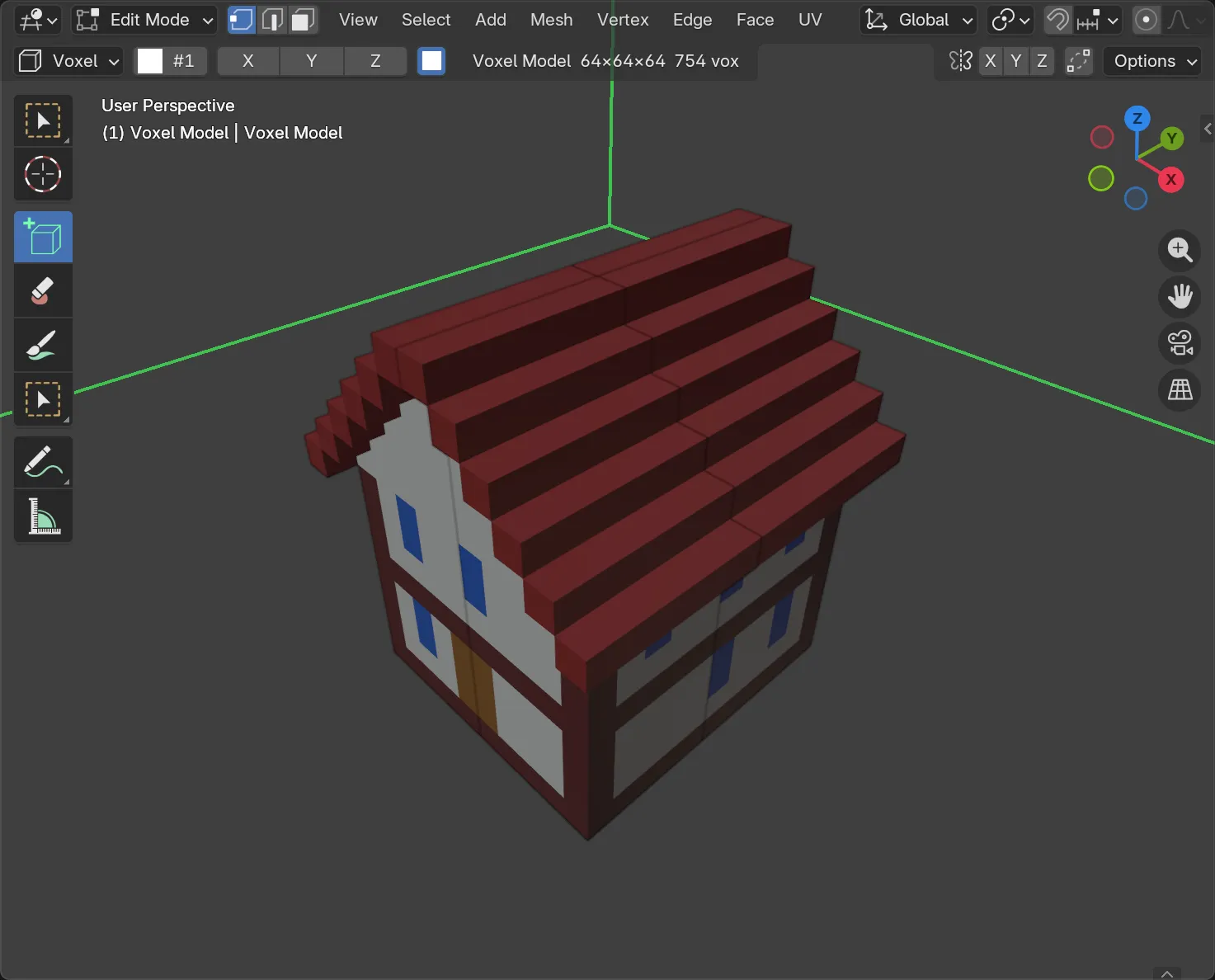
Any solid structure works here — a placed shape or a hand-built box would do just as well as a generated one.
2. Damage: bites, crumbles and pits
Section titled “2. Damage: bites, crumbles and pits”Pick Damage and Generate.
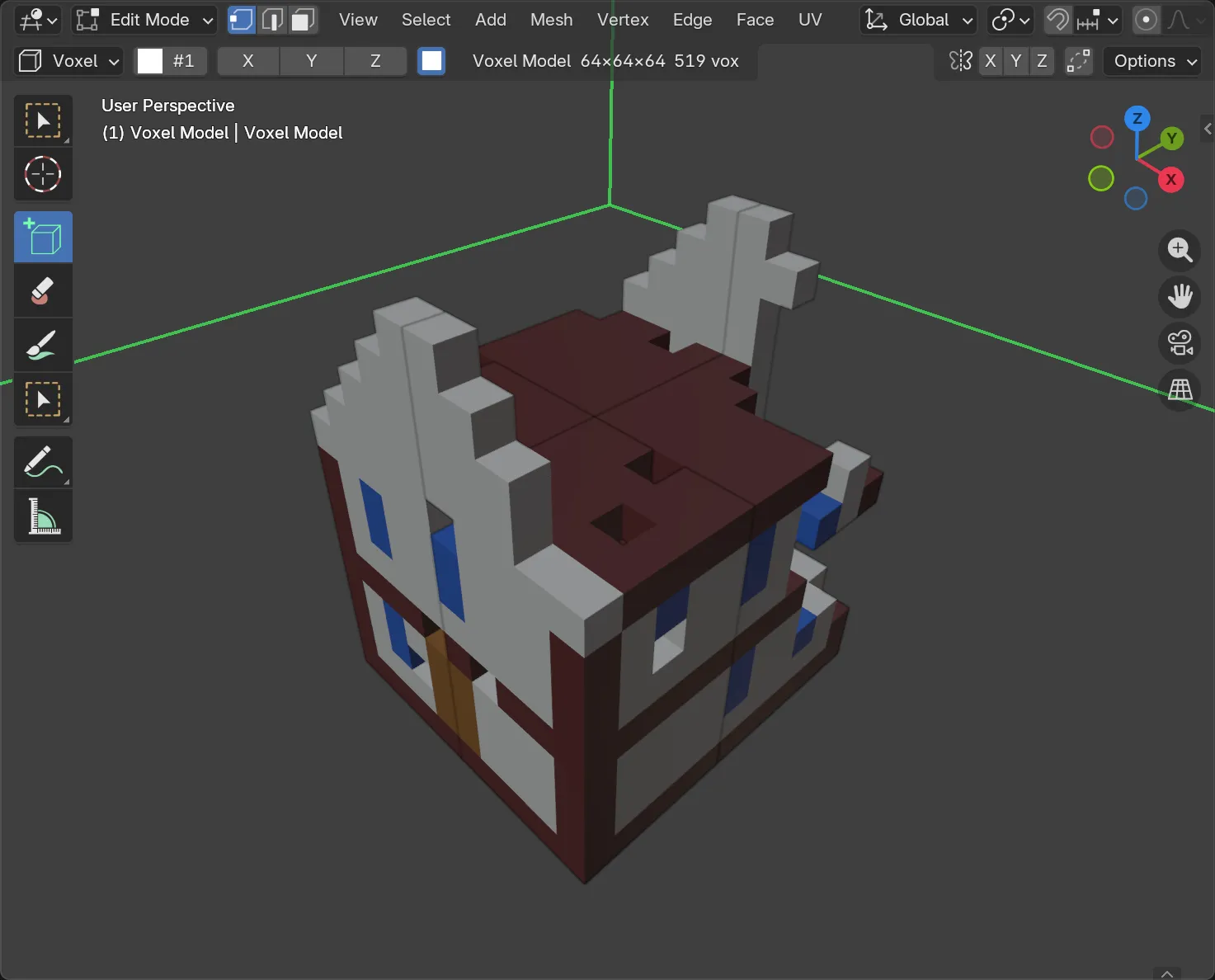
Damage only ever removes — there’s no Add/Replace choice, because neither would mean anything for a generator that just takes voxels away. Two settings worth knowing:
- Keep Bottom protects the ground floor, so the ruin still stands instead of collapsing entirely.
- Broken Colour repaints the freshly exposed faces where a bite lands, so a break reads as raw stone or brick rather than showing the original painted surface underneath.
3. Vines: let it grow over
Section titled “3. Vines: let it grow over”Pick Vines, set Output: Add (everything from here on is additive — you’re building onto the ruin, not replacing it), and Generate.
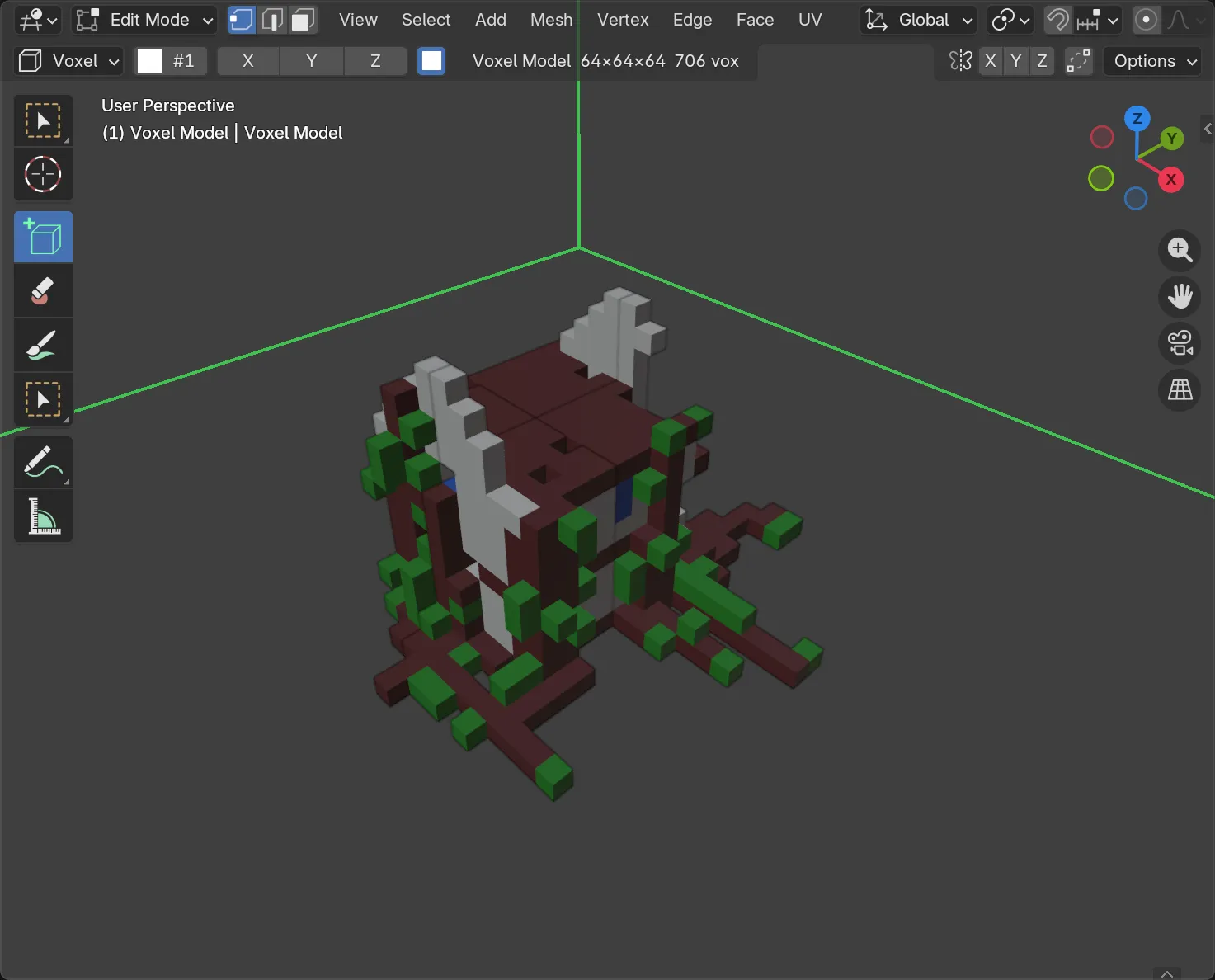
Vines hang from ledges, climb walls or creep over the ground, with leaves and their own branching, same as the Trees and Rocks generators find “the ground” the same way — so vines that climb this building’s walls will agree with rocks or scatter placed the same way elsewhere in a scene.
4. Weathering: snow, moss and grime
Section titled “4. Weathering: snow, moss and grime”Pick Weathering and Generate.
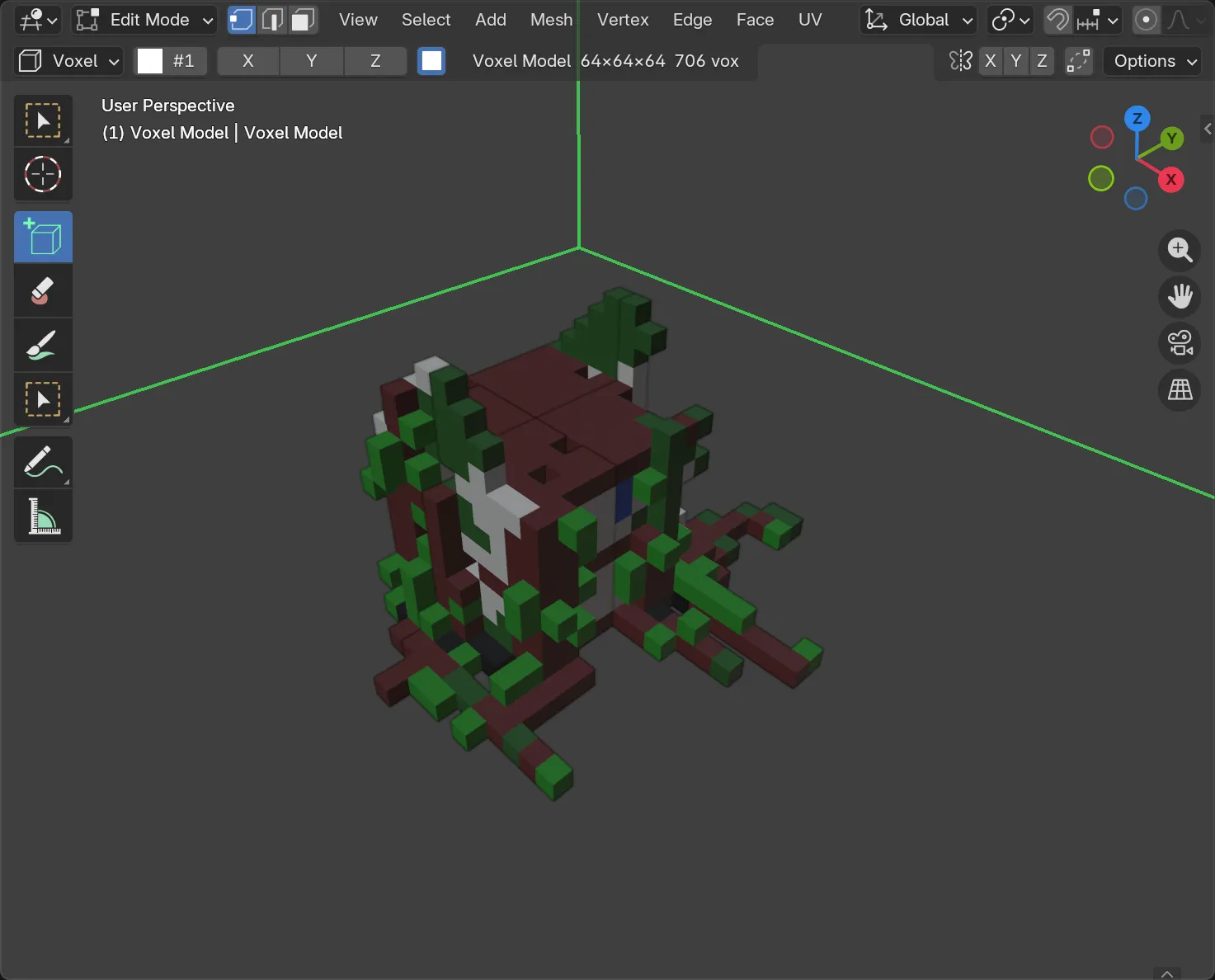
Weathering repaints rather than adds: snow settles on upward-facing tops, moss grows on shaded sides, and grime darkens crevices. It’s the finishing pass in most of the recipes named in Generators and scenes — Island and Ruin both end on it.
Every press so far was one undo step — Ctrl + Z walks back through Buildings, Damage, Vines and Weathering in order if you want to compare stages.
5. The other finishing tools
Section titled “5. The other finishing tools”Two more generators repaint rather than build, and are worth knowing even though this recipe doesn’t use them:
- Surface Pattern stamps bricks, tiles, checker, stripes, diagonal, weave or raked sand across a surface — useful before Damage and Weathering, since it gives the break-and-wear generators a patterned surface to interrupt rather than a flat one.
- Colour Randomiser and Colour Gradient both take their colours from swatches you’ve picked in the palette — Randomiser scatters from a weighted set, Gradient blends along a ramp by direction (X, Y, Z, Radial or Spherical). Either can be limited to the Active Group, so a repaint touches only one part of a multi-part model.
- Generate a scene for the additive generators this recipe started from.
- Generators and scenes for every generator, and the full recipe list (Cave level, Moon and more besides Ruin).