Generators and scenes
The Voxel Generators section fills a model with things you did not draw: terrain, trees, water, buildings, caves, whole scenes. Every generator works on the model you have selected, and every press is one undo step.
How the shelf works
Section titled “How the shelf works”- Select (or enter) a voxel model. A bigger grid gives a generator more room: try 128 or 256.
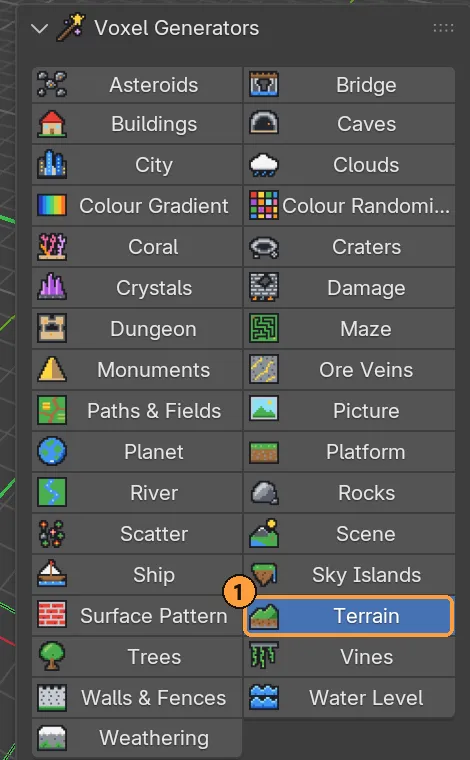
- Open Voxel Generators and click a generator in the grid ①.
- Adjust its Settings.
- Press Generate.
Below the grid (scroll the sidebar down):
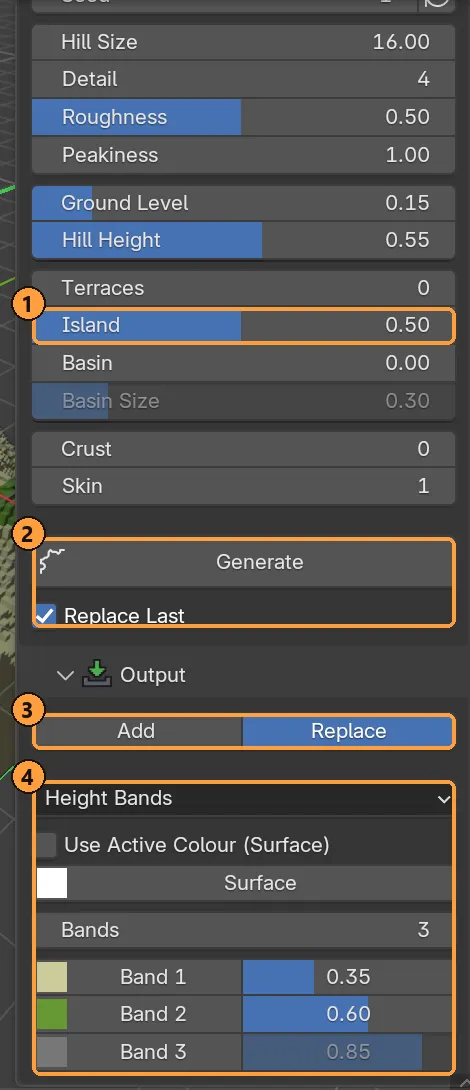
- The generator’s own Settings: here Terrain’s Island, which sinks the ground towards the edges.
- Generate, and Replace Last under it.
- Output: Add or Replace.
- Colours: Height Bands here, with a colour and a top height per band.
Replace Last (on by default) means pressing Generate again takes back the previous result first. Change a slider, press Generate, and the result is re-rolled rather than piled on top. Once you have edited the model since, it stops doing that, so your own work is never taken back.
Output: Add or Replace, and colours
Section titled “Output: Add or Replace, and colours”| Setting | Meaning |
|---|---|
| Add | Fill only empty space and keep everything already there |
| Replace | Throw the model away and keep only what is generated |
| Single | One colour throughout |
| Surface and Depth | One colour for the top, another below it |
| Height Bands | Colour by altitude (sand, grass, rock, snow), with a band count and a top height per band |
| Use Active Colour | Take the first colour from the swatch you are painting with |
Generators that only repaint (Weathering, Surface Pattern, Colour Randomiser, Colour Gradient) or only remove (Damage) hide Add/Replace, because it would make no difference.
Every generator has a Seed. The same seed and settings always give the same result, so if you like one, note its seed.
The generators
Section titled “The generators”Every setting of every generator is listed in the Generators reference.
Ground and landscape
Section titled “Ground and landscape”| Generator | For |
|---|---|
| Terrain | Ground from five sources: Noise (fractal hills), Peaks (exactly the number of mountains you ask for, on flat ground), Dunes, Volcano, or a Heightmap image. Peakiness flattens valleys while keeping peaks; Terraces, Island and Basin reshape the result. |
| Platform | One flat-topped block of land with cliff sides, arena-sized |
| Sky Islands | Floating islands with grassy tops, rocky undersides and waterfalls |
| River | A river carved across the ground from one side to the other |
| Water Level | Floods every empty space below a waterline: sea, lakes, puddles |
| Caves | Tunnels and caverns carved under the surface, or a cave block cut from solid rock if the model is empty |
| Craters | Impact bowls with raised rims and dark ejecta |
Nature
Section titled “Nature”| Generator | For |
|---|---|
| Trees | Branching trees standing on whatever surface is there |
| Rocks | One hero boulder, or a field of them. Facets make stone, Squash makes slabs, Strata adds bands, Sink beds them into the ground. |
| Scatter | Plants library shapes over the surface: trees, rocks, flowers, props. Filter by slope, height and density; limit it to a Selection. |
| Vines | Hanging from ledges, climbing walls, or creeping over the ground, with leaves and branching |
| Clouds | Puffs: rounded heaps on a level base, with the second colour on their undersides. Layer: a ragged sheet of cloud from noise. |
| Crystals | Pointed crystal clusters on floors, walls and ceilings |
| Ore Veins | Seams of ore colour threaded through rock |
| Coral | Branching, brain, fan and tube coral and kelp on a seabed |
Structures
Section titled “Structures”| Generator | For |
|---|---|
| Buildings | Houses, a village, a castle or a pier on the ground |
| City | A street grid of towers, offices and houses on a levelled site |
| Monuments | Pyramids, temples, pagodas, stone circles, obelisks, rock arches |
| Bridge | A bridge across the river if there is one (run River first), otherwise over the narrowest gap it can find: stone, wood, rope or moon bridge |
| Walls & Fences | Castle wall, field wall, palisade, fence or hedge round the model |
| Dungeon | Rooms and corridors with walls and a floor. Each room becomes its own group. |
| Maze | A perfect maze, or a braided one with loops |
| Paths & Fields | Worn tracks joining points, or a patchwork of fields, over the whole model, the active group, or a selection |
| Ship | A galleon, sloop or rowboat afloat as near the middle of the water as it fits, or wrecked on the bed |
| Generator | For |
|---|---|
| Planet | A round world with continents, seas and ice caps |
| Asteroids | Lumpy rocks adrift through the model, or a belt of them |
Finishing: repaint and wear
Section titled “Finishing: repaint and wear”These change what is already there.
| Generator | For |
|---|---|
| Weathering | Snow on tops, moss on shaded sides, grime in crevices |
| Damage | Bites out of walls, crumbled tops, pitted surfaces. It turns a building into a ruin and only ever removes. Keep Bottom protects the ground; Broken Colour repaints fresh breaks. |
| Surface Pattern | Bricks, tiles, checker, stripes, diagonal, weave, raked sand |
| Colour Randomiser | Repaint from a weighted set of palette colours |
| Colour Gradient | Repaint along a ramp between two palette entries |
From an image
Section titled “From an image”| Generator | For |
|---|---|
| Picture | An image as a flat voxel picture, or a solid carved from front, side and top views |
Recipes: layering generators
Section titled “Recipes: layering generators”Generators are made to be pressed one after another, each in Add mode. Here’s Terrain, then Water Level, then Trees, on a 96³ model:
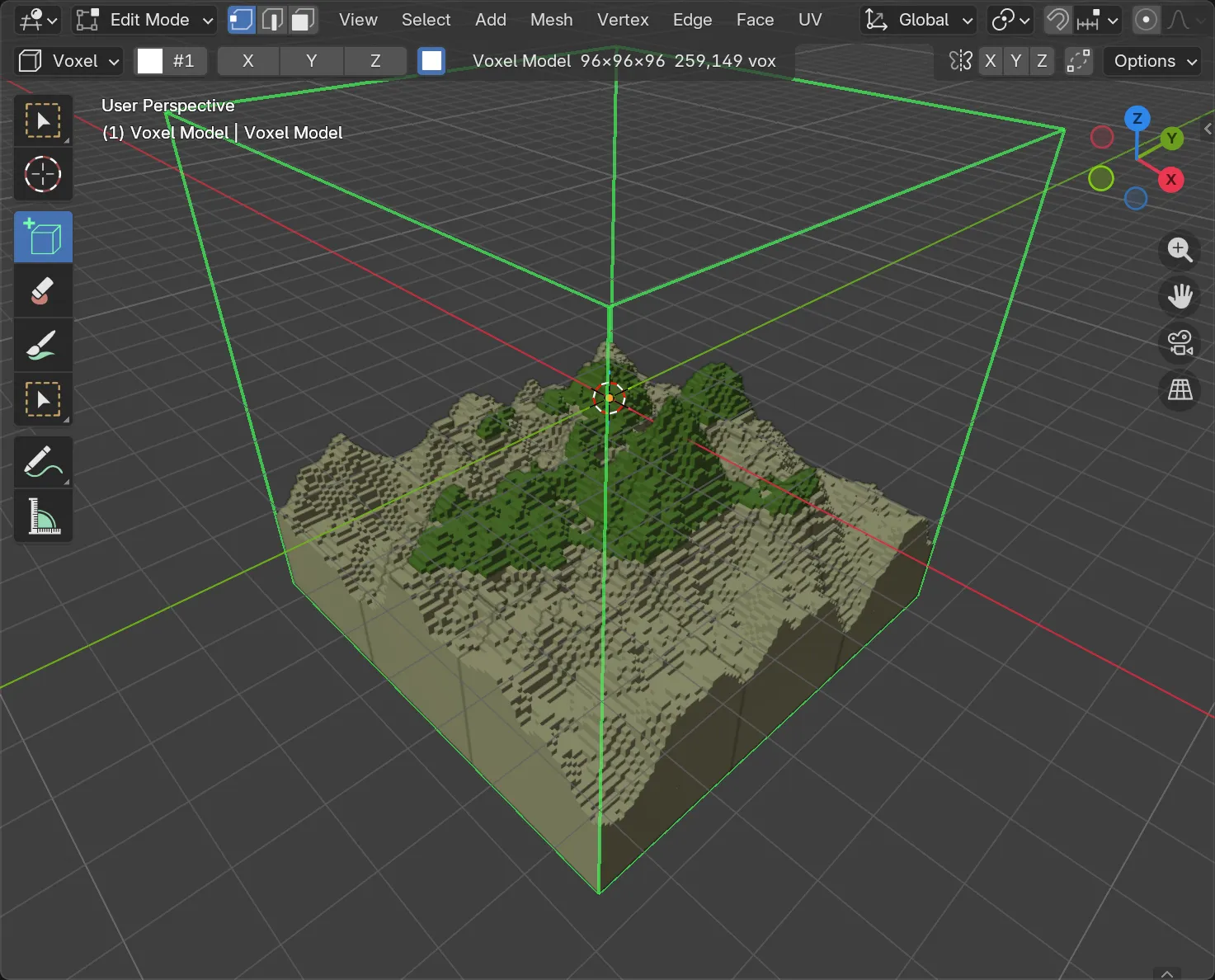
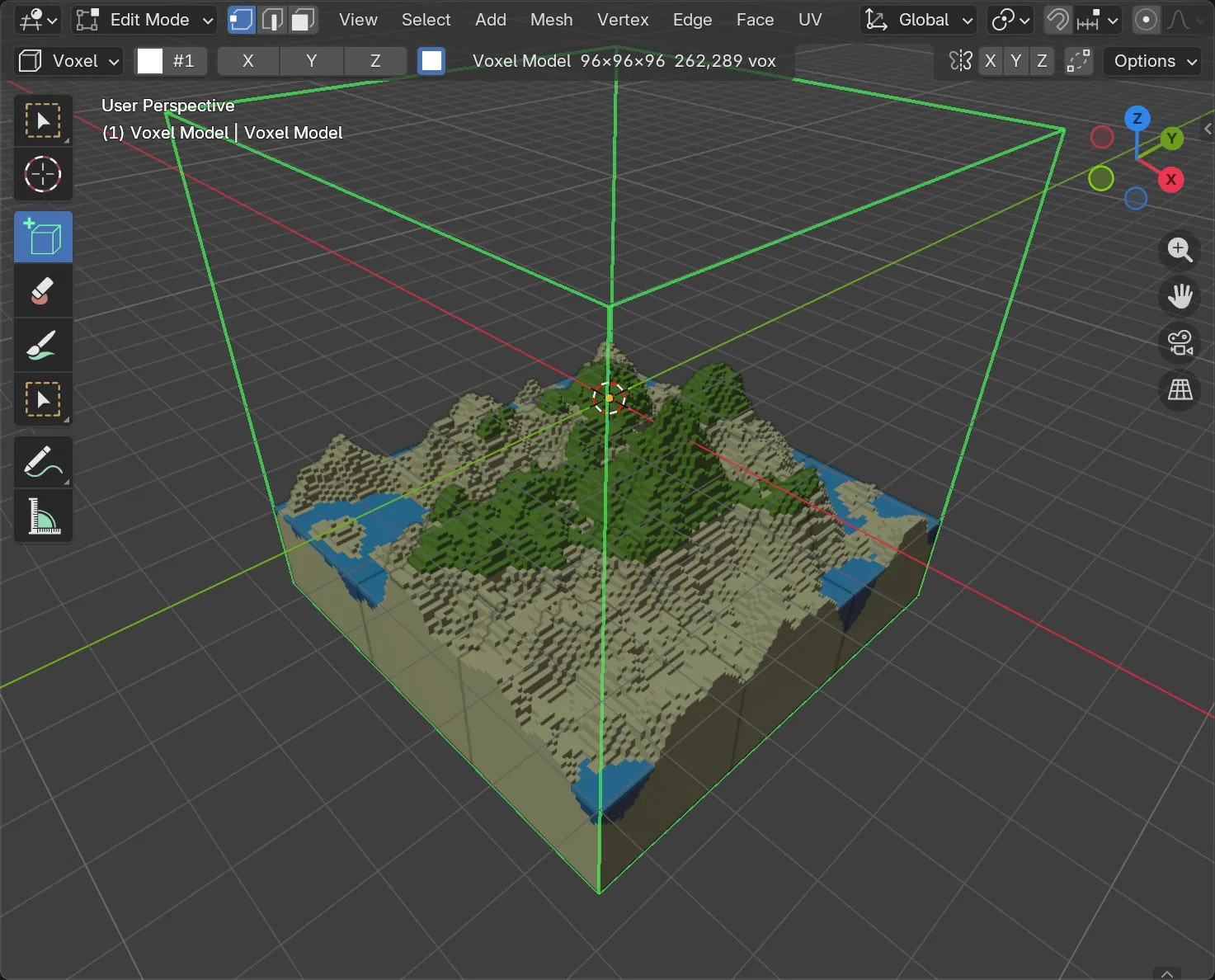
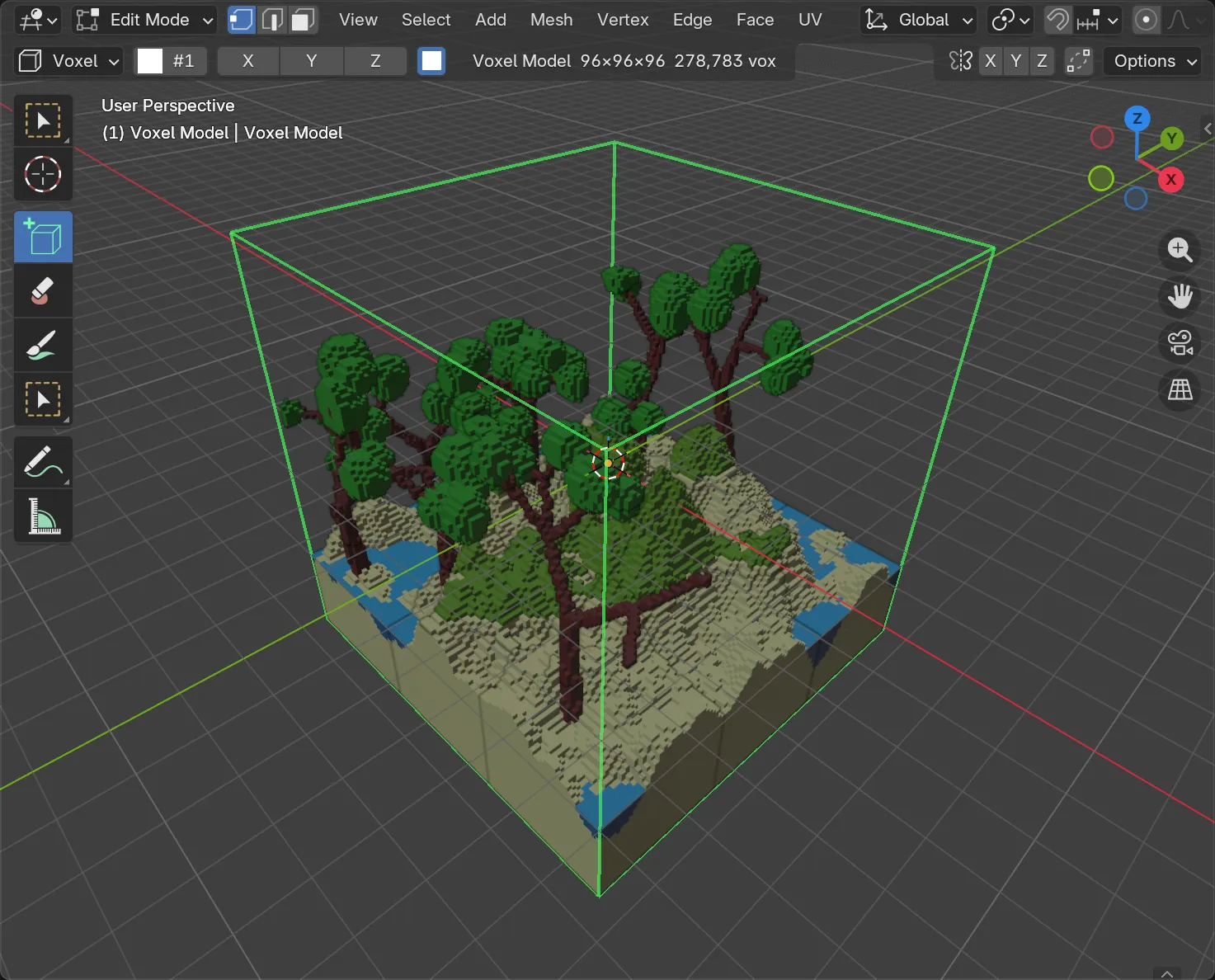
More recipes:
- Island: Terrain (Replace) → Water Level → Trees → Rocks → Weathering
- Ruin: Buildings → Damage → Vines → Weathering
- Cave level: Caves → Crystals → Ore Veins → Scatter (props on floors)
- Moon: Planet → Craters
Scatter, Rocks and Vines all find “the ground” the same way, so a boulder field and a wood over it agree about where to stand.
Colour generators and the palette
Section titled “Colour generators and the palette”The Colour Randomiser and Colour Gradient take their colours from the swatches you picked in the palette.
- Add Colours (Randomiser) adds every picked swatch at once. From Palette loads a palette and fills the list evenly from it (up to 64 colours).
- Take Picked Swatches (Gradient) uses the two ends of the picked run. Shift-click one of a built-in palette’s eight-step ramps and the gradient becomes exactly that ramp.
Gradient options: Direction (X, Y, Z, Radial or Spherical), Fit (across what it paints, or across the whole model so separate parts line up), Steps (flat bands), Bias and Dither.
Both can be limited to the Active Group.
Picture: images into voxels
Section titled “Picture: images into voxels”Pick an image in Blender, then choose:
- Flat Picture: one voxel per pixel, standing up in the View you choose, Thickness voxels deep.
- Carve From Views: two or three images (front, side, top) each cut through the block, leaving only what all of them agree is solid. It’s a quick way from a character sheet to a blocked-out figure.
Width sets how many voxels wide the result is, and Mirror flips it. Colours are matched to the model’s palette.
Scene: a whole scene in one press
Section titled “Scene: a whole scene in one press”The Scene generator runs a recipe of other generators in order: ground, water, rocks, trees, weathering, clouds. One press builds a finished scene.
| Setting | Meaning |
|---|---|
| Scene | The preset (below) |
| Seed | One number seeds every step |
| Sea Level | How high the water comes, as a fraction of the grid (0 for none) |
| Vegetation, Rocks | How much of each, 0 for none |
| Clouds, Weathering | On or off |
| Cutaway | Opens the front of underground scenes so you can see into the caves |
| Water Colours | Gives the water palette entries a real water surface |
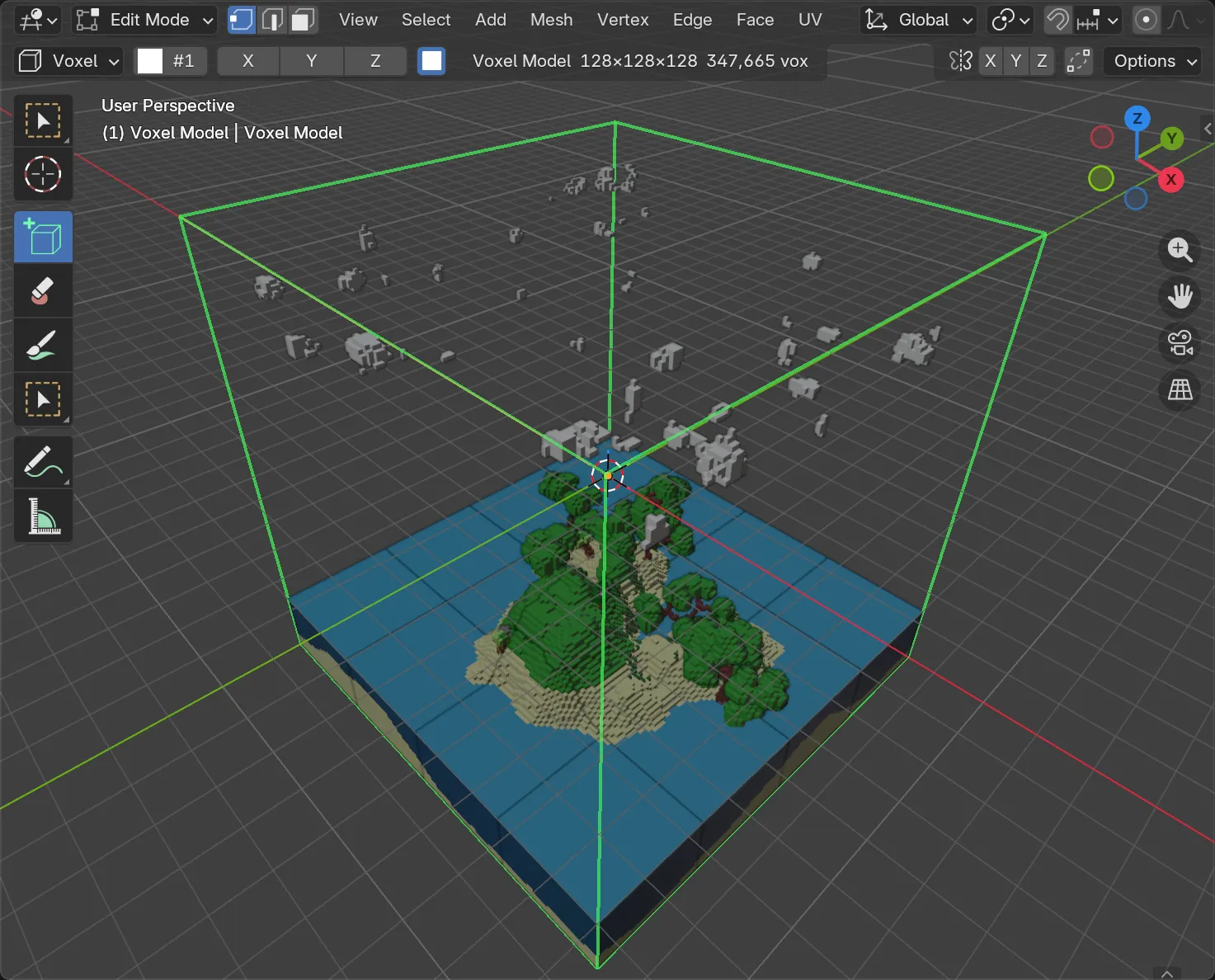
The 33 presets: Highlands, Island, Canyon, Forest, Winter, Ruins, Swamp, Desert Oasis, Volcano, River Valley, Crystal Cavern, Mine, Mushroom Grotto, Village, Farm, Harbour, Graveyard, Floating Islands, Castle, Modern City, Space, Tiny Planet, Sci-fi Colony, Coral Reef, Pirate Cove, Frozen Lake, Jungle Temple, Egyptian Desert, Stonehenge Moor, Zen Garden, Mountain Pass, Walled Town, Battlefield.
A Scene is a starting point: every step it ran is a normal edit, so keep building on top of it.